Partnering with global industry leaders to power your creativity output
Created by community
PROMPT
Remove all the extra tourists and people from the plaza behind the main woman, keeping only her in the scene. Fill the cleared areas with clean empty cobblestone plaza and the landmark behind, matching texture, lighting and sharpness exactly — pixel-identical everywhere else, no colour shift, razor sharp, seamless.
PROMPT
Remove the large advertising billboard completely from the building facade behind the man, filling the area with continuous matching pale stone and glass facade — same texture, panel lines, lighting and sharpness as the surrounding wall. Keep everything else pixel-identical, no colour shift, razor sharp, seamless as if no billboard was ever there.
PROMPT
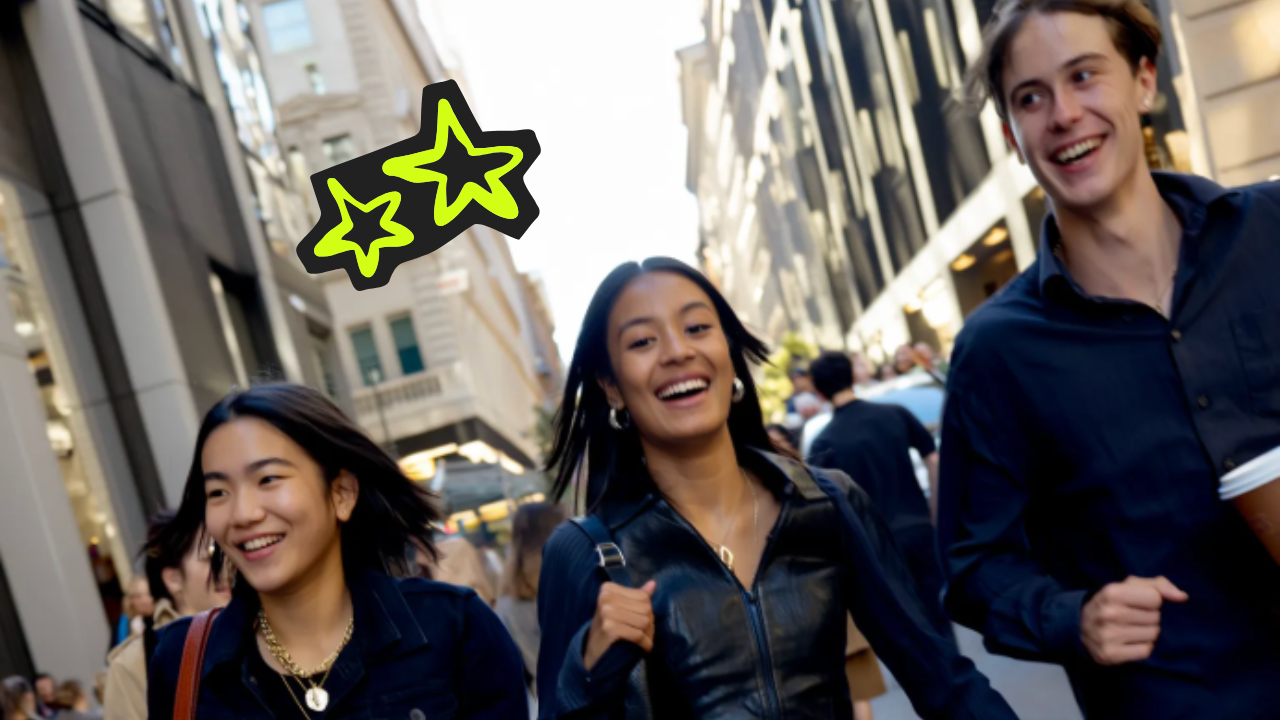
Remove all the litter and trash scattered on the cobblestone street around the couple — cans, papers, wrappers and debris. Fill each spot with clean matching cobblestone, same texture, colour and sharpness. Keep everything else pixel-identical, no colour shift, razor sharp, pristine clean street as if litter was never there.
PROMPT
Remove the repeating diagonal watermark text completely from the entire product image, filling every covered area with the natural underlying content — can, pedestal and background — matching colours, textures and sharpness exactly. Keep everything else pixel-identical, no colour shift, razor sharp, seamless clean image as if the watermark was never there.
Remove Any Object in One Click
AI Object Remover lifts any unwanted object out of any photo in seconds. Brush over it, tap it, or let auto-detect find every distraction for you. People, props, signs, vehicles, and clutter, all gone in one click. The background fills in behind, so the photo looks like the object was never there.
AI Object Remover lifts any unwanted object out of any photo in seconds. Brush over it, tap it, or let auto-detect find every distraction for you. People, props, signs, vehicles, and clutter, all gone in one click. The background fills in behind, so the photo looks like the object was never there.
AI Object Remover wipes the things that ruin a great shot. Strangers in travel photos, watermarks on stock images, burned-in dates, power lines in the sky, gone in one pass. Lift glare, shadows, stains, and skin marks just as cleanly. Every distraction comes out, while the subject and scene stay sharp and untouched.
AI Object Remover wipes the things that ruin a great shot. Strangers in travel photos, watermarks on stock images, burned-in dates, power lines in the sky, gone in one pass. Lift glare, shadows, stains, and skin marks just as cleanly. Every distraction comes out, while the subject and scene stay sharp and untouched.
AI Object Remover doesn't just delete, it rebuilds. Generative AI fills the gap with pixels that match the surrounding texture, color, and light. Shadows and reflections rebuild naturally, so nothing looks pasted or smudged. The final photo holds up at full resolution, with no trace of the object that was there.
AI Object Remover doesn't just delete, it rebuilds. Generative AI fills the gap with pixels that match the surrounding texture, color, and light. Shadows and reflections rebuild naturally, so nothing looks pasted or smudged. The final photo holds up at full resolution, with no trace of the object that was there.
AI Object Remover detects, erases, fills, and exports in one workflow. Photo in, clean photo out, share ready. No stacked subscriptions. No manual masking.
AI Person Remover
AI Object Remover wipes strangers, tourists, and photobombers from any shot. The crowd disappears. Your subject stands alone.
AI Watermark Remover
AI Object Remover lifts watermarks and logos from any image. Stock, scraped, or social. Clean and ready to repurpose.
AI Text Remover
AI Object Remover wipes captions, signs, and date stamps from photos. Background rebuilt underneath. No trace, no smudge.
AI Wire Remover
AI Object Remover erases power lines, cables, and antennas. Skies cleaned in one tap. Landscape shots reborn.
AI Background Cleanup
AI Object Remover clears clutter, trash, and debris from any backdrop. Distractions wiped. Subject in sharper focus.
AI Blemish Remover
AI Object Remover fixes acne, marks, and stains on skin and surfaces. Texture preserved. Natural, not airbrushed.
AI Shadow Remover
AI Object Remover lifts unwanted shadows, glare, and reflections. Light evened out. Every surface clean.
AI Vehicle Remover
AI Object Remover takes cars, bikes, and trucks out of any frame. Streets emptied instantly. Listings and landscapes clear.
AI Generative Fill
AI Object Remover rebuilds the gap with matching texture, color, and light. Pixels generated, not cloned. Seamless every time.
AI Brush-to-Remove
AI Object Remover follows your brush across any area. Paint what you want gone. Precision in your hands.
AI Auto-Detect Remover
AI Object Remover finds every object in a photo for you. Tap once to erase. No selection, no setup.
AI Batch Remover
AI Object Remover cleans a whole set of photos at once. Same removal, every shot. Catalogs done in minutes.
How to Remove Objects with AI?
Man in a brown leather jacket on a card, over a dark interface with a plus sign and a hand icon.
Upload Your Photo
Drop in any image, JPG, PNG, or HEIC. AI Object Remover detects every editable element automatically and gets the photo ready to clean.
Interface with options: Nano Banana 2, zoom level, aspect ratio 16:9, quality High, Draw, and Unlimited toggle switch.
Brush or Tap to Remove
Brush over what to erase, or let auto-detect find every distraction for you. Anything goes, from people and wires to text and clutter.
A large explosion lights up a mountainous landscape at night, with a winding road in the foreground and trees silhouetted against the flames.
Export Your Clean Photo
Render your final image up to 4K in seconds. Resize for any platform, batch a whole set, and share straight to your store, socials, or print.
AI Object Remover brings every leading image model into one workspace. Switch between models per photo, compare outputs side by side, and pick the best result, all under one subscription with new releases added as they launch.
google logo
Nano Banana Pro
Use Nano Banana Pro, the brush-to-edit powerhouse, for precise object removal, scene rebuilding, and inpainting with up to eight references and accurate detail.
Higgsfield is the all-in-one AI Object Remover with 15+ top models, brush-to-edit precision, and a full editing pipeline in one subscription. From travel photos and real estate listings to product shots, portraits, and social posts, it wipes any object from any photo in seconds without editing skills. That's why it powers millions of edits a day for 25M+ creators and teams.
Real estate photo with clutter before
Clean listing photo after
Clean Real Estate & Listing Photos
AI Object Remover polishes listings for real estate agents, photographers, and marketplaces. It covers parked cars, cluttered rooms, personal items, signage, and weather distractions. Higgsfield AI Object Remover ships clean, market-ready listing photos at scale, replacing hours of manual retouching.
Product photo with clutter before
Clean product photo after
Polish Product & E-commerce Photos
AI Object Remover cleans photos for sellers, DTC brands, and marketplaces. It covers props, hands, tags, watermarks, dust, and background clutter from product shots. Higgsfield AI Object Remover delivers consistent, marketplace-ready catalog images at scale, with no reshoot.
Travel photo with distractions before
Fixed travel photo after
Fix Travel & Portrait Photos
AI Object Remover saves memories for travelers, families, and portrait photographers. It covers strangers in the background, photobombers, blemishes, glare, and stray wires across the sky. Higgsfield AI Object Remover turns once-in-a-lifetime shots into the photo you meant to take.
Social visual with watermark before
Clean social visual after
Prepare Social & Marketing Visuals
AI Object Remover sharpens content for creators, marketers, and agencies. It covers watermarks, distracting objects, dated logos, signs, and clutter in lifestyle and campaign shots. Higgsfield AI Object Remover delivers scroll-ready, on-brand visuals in minutes, no designer required.
A Platform Trusted By 25 Million Creators
Join a global creative network where people generate AI images, share insights, and inspire each other every day.
I scrub fifty listing photos a week now. Cars, clutter, and trash, gone before I export.
Every product shot now ships clean. Watermarks and stray hands wiped, catalog finally consistent.
The travel photo I'd given up on came back perfect. Crowd erased, sky cleaned, like I shot it alone.
Our campaign visuals used to take a day in Photoshop. Now it's a minute, with cleaner results.
Trusted by 25M+ people worldwide
Got any questions left?
We’ve answered the most frequently asked questions
What is an AI Object Remover?
An AI Object Remover is an AI tool by Higgsfield that erases any unwanted object from a photo and fills the gap seamlessly. It removes people, watermarks, wires, text, blemishes, and clutter in one click, so you get a clean photo without editing skills.
What is the best AI Object Remover?
Higgsfield is one of the best AI Object Removers. It brings 15+ top models, including Nano Banana Pro, Seedream, FLUX, and Higgsfield Soul, into one subscription, with brush-to-edit precision and 4K output. You wipe people, text, watermarks, and clutter from any photo in seconds.
How do AI Object Removers work?
AI Object Removers use deep-learning models trained on large image datasets. When you highlight an object, the model reads the surrounding texture, color, and light, then generates new pixels to fill the gap naturally. With Higgsfield, you pick which model powers each removal.
How do I remove an object with Higgsfield?
Upload your photo, brush over what to remove, or let auto-detect pick it for you, then export. Higgsfield delivers a clean image in seconds, with a free plan to start.
Can it remove people and tourists from photos?
Yes. Higgsfield erases strangers, photobombers, tourists, and entire crowds from any photo, then rebuilds the background behind them with matching texture, color, and light.
Can it remove watermarks, text, and dates?
Yes. Higgsfield wipes watermarks, logos, captions, signs, and burned-in date stamps from any image, rebuilding the background underneath, so the photo is clean and ready to repurpose.
Will the removed area look natural?
Yes. Higgsfield's generative fill matches the surrounding texture, color, light, shadows, and reflections, so the cleaned area blends in naturally, with no smudges, clone marks, or pasted look.
Which model should I use?
It depends on your goal. Nano Banana Pro is best for brush-to-edit precision, Seedream for photoreal fills, GPT Image for text and watermarks, and Soul for keeping the photo's look consistent. You can switch models per photo.
Can I clean a whole set of photos at once?
Yes. Higgsfield batch-removes the same kind of distraction across hundreds of photos in one run, ideal for catalogs, listings, and event galleries, with no per-image setup.
Do I need to download software?
No. Higgsfield runs in your browser, with a mobile app for faster, on-the-go object removal and daily free credits.
Get insights from experts blog
Get the insights you need. Our experts share actionable hacks, break down the hottest topics, and provide essential how-to guides to help you build, optimize, and scale.
:no_upscale())


:no_upscale())
:no_upscale())
:no_upscale())
:no_upscale())
:no_upscale())
:no_upscale())
:no_upscale())
:no_upscale())
:no_upscale())
:no_upscale())
:no_upscale())
:no_upscale())
:no_upscale())
:no_upscale())

:no_upscale())

:no_upscale())

:no_upscale())

:no_upscale())
:no_upscale())
:no_upscale())
:no_upscale())
:no_upscale())
:no_upscale())
:no_upscale())
:no_upscale())
:no_upscale())
:no_upscale())